Demo console
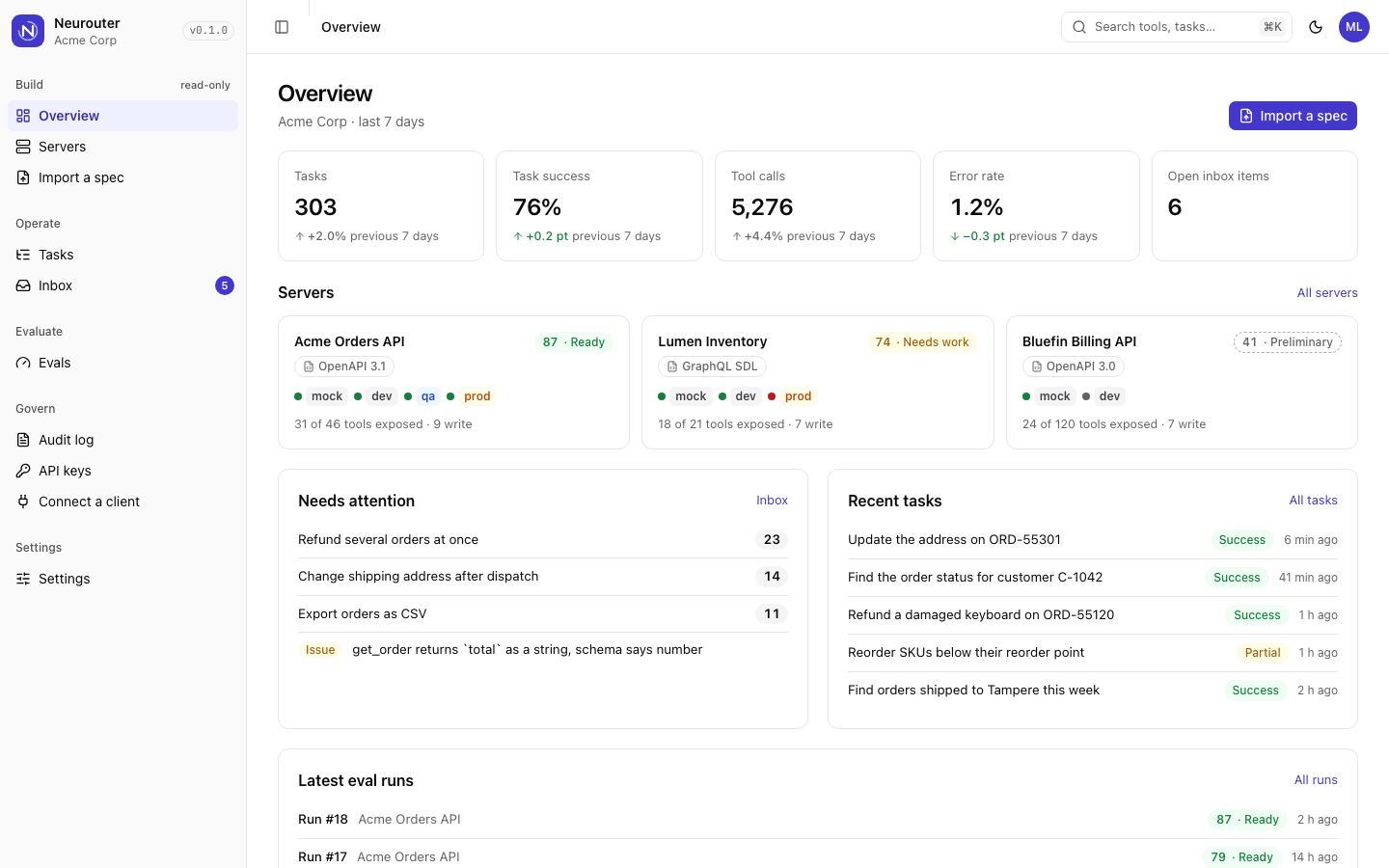
A read-only Neurouter console that runs entirely in your browser, with fictional data for an invented company, Acme Corp. Nothing to install, nothing to sign in to.
What it is
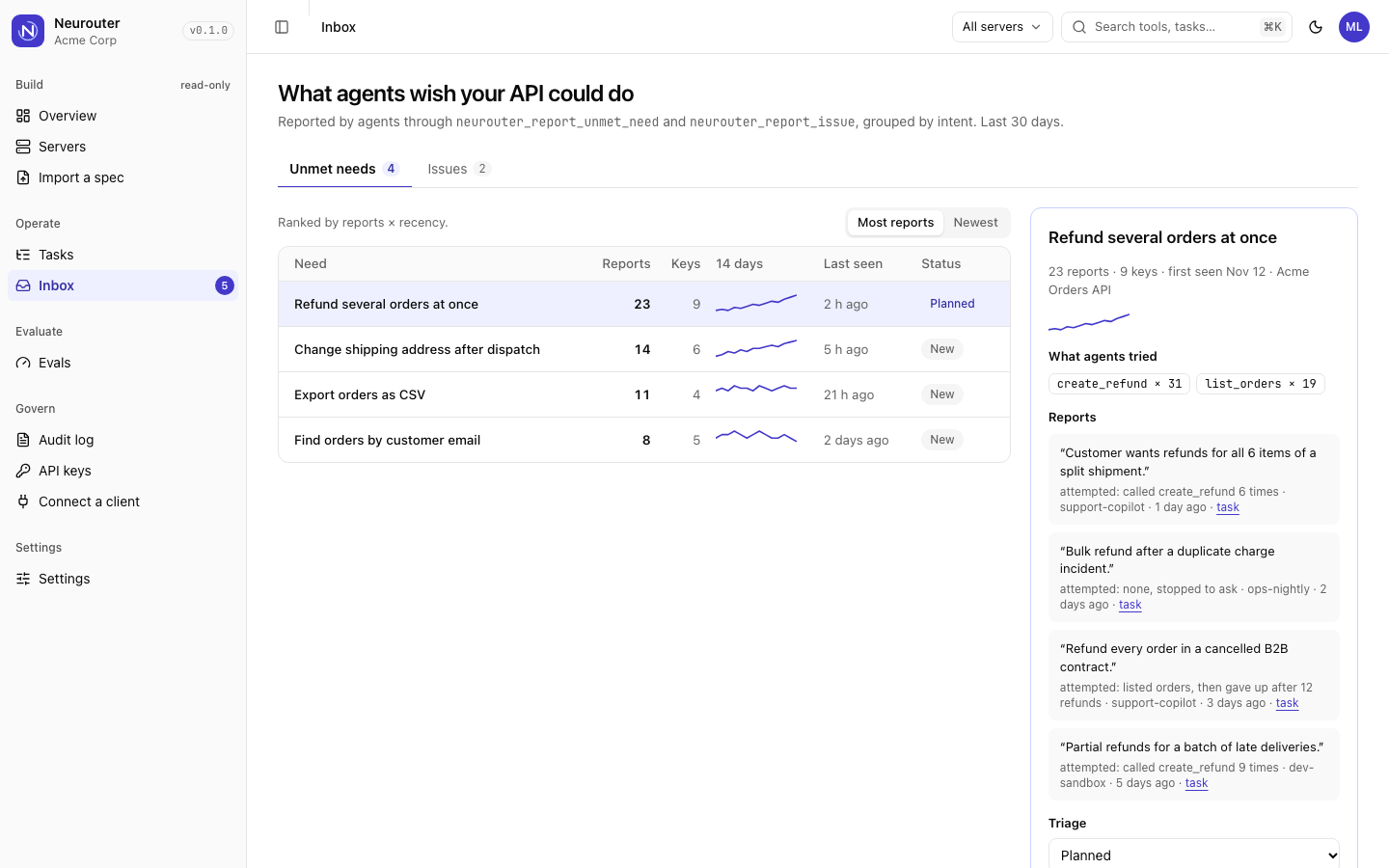
The demo is the real Neurouter console, built in demo mode: every request is answered in your browser by mock data checked against the same API contract as the server. A simulator adds new agent tasks every few seconds, some with code-mode scripts and some that report unmet needs. Changes are rejected or simulated in memory, and a reload starts over.
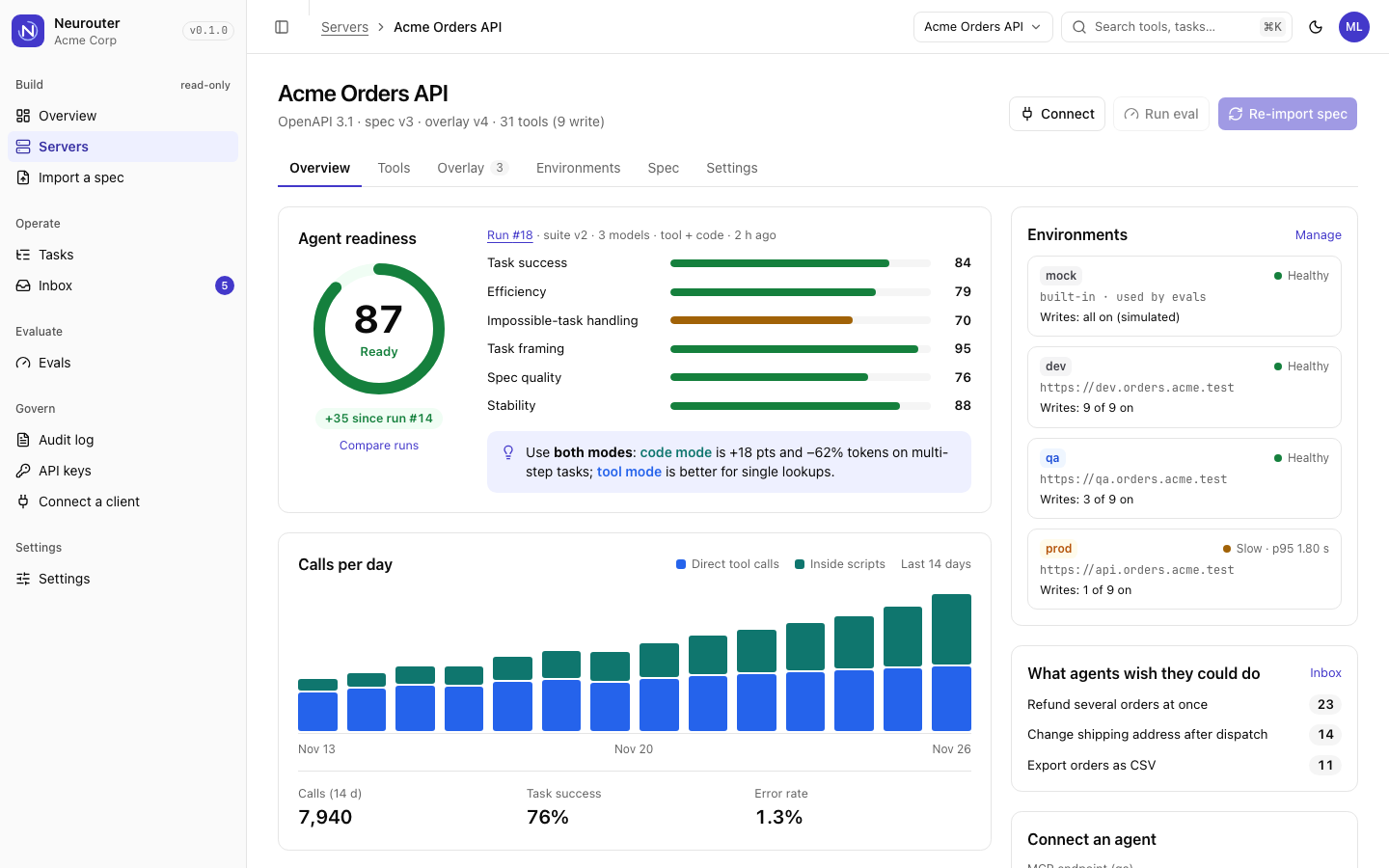
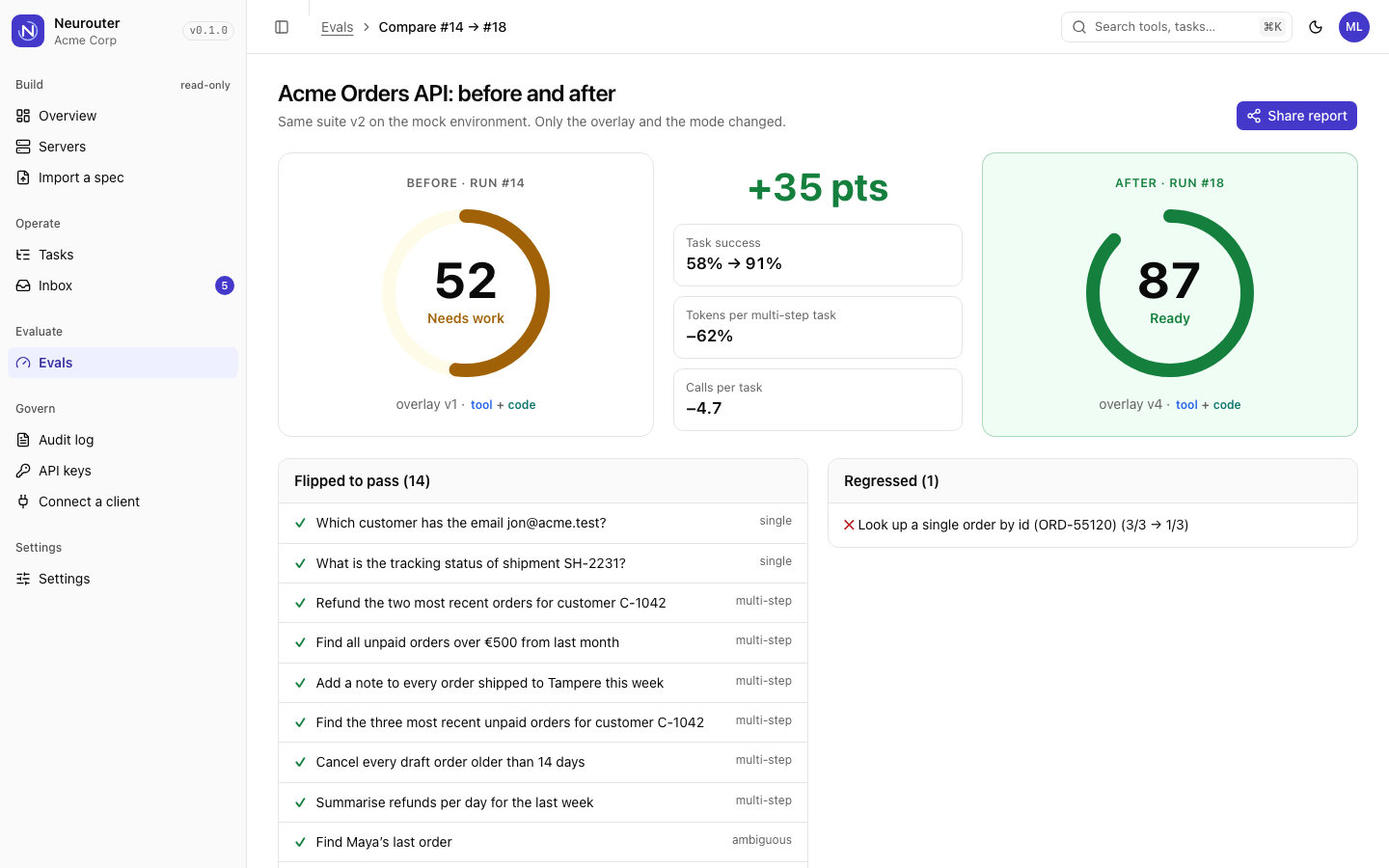
- Acme Orders API (OpenAPI 3.1, 46 operations, 31 tools): environments mock, dev, QA and prod, readiness 52 → 87 across eval runs #14 to #18.
- Lumen Inventory (GraphQL, 18 tools): readiness 74.
- Bluefin Billing API (OpenAPI 3.0, 24 tools): a preliminary score only, no eval run yet.
All companies, APIs, people, keys and numbers in the demo are invented. Model names are generic tiers, and scores are illustrations, not benchmark results.
Live server
A second demo runs the real Neurouter server: open the live server console ↗. It serves the launch demo, a GitHub REST subset with and without its curated overlay plus the Swagger Petstore, against the built-in mock API. Visitors are read-only viewers, and its MCP endpoints need an API key, so they aren't open to the public. It scales to zero when idle, so the first page load can take a few seconds.
What you'll see
Things to try
- Open Evals → Compare to see what four overlay fixes and code mode did for the Acme Orders API.
- Open a fix suggestion and press Verify (simulated).
- Edit the overlay draft and look at the diff; publishing is blocked in the demo.
- Open a task with a code-mode script to see its planned changes and the policy trail of each call.
- Watch the ops inbox while the simulator files new unmet needs.
The demo sets no cookies and runs no analytics; it may keep your theme preference in your browser. See the privacy policy.