Agent-readiness score
A 0–100 score for how well AI agents use your API, from generated tasks run on real models in tool mode and code mode — with fix suggestions you can verify before applying.
"Does it work?" usually means someone tried a few prompts. Neurouter replaces that with a number you can track, compare and gate a build on.
How it is measured
- Tasks from your spec. Neurouter generates single-call, multi-step, ambiguous and impossible tasks from your tools and sample data, and validates each one against a mock of your API.
- Real models, both modes. The tasks run with the models you choose (on your own keys), in tool mode and code mode, several times each.
- Checked, not guessed. Assertions read what the agents actually called from Neurouter's audit log, and what changed in the mock afterwards. An LLM judge handles only the open-ended parts.
- One score per cell. Task success, tool quality, impossible-task handling, efficiency, stability and task framing combine into 0–100, banded Not ready, Needs work, Ready or Excellent.
From score to fixes
Failures are grouped by cause, and each group gets a proposed overlay change: a clearer name or contrasting descriptions, an example for a misused argument, unhiding a tool agents needed, a composite tool sketch, a trimmed response. Verify re-runs the affected tasks with the change applied before you apply it.
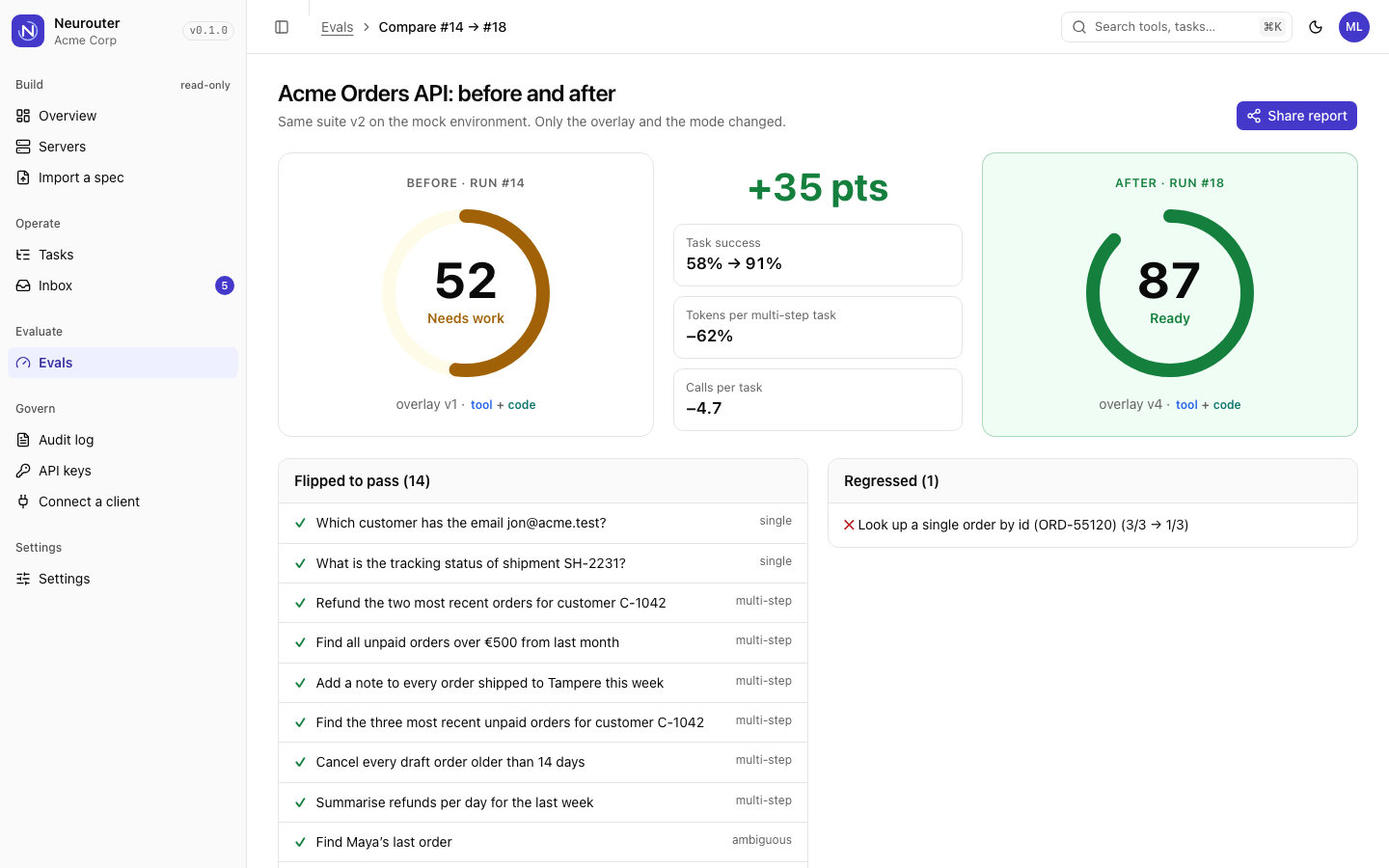
Example (fictional Acme Orders API)
| Run | Change | Score |
|---|---|---|
| #14 | Raw spec, tool mode | 52, Needs work |
| #15–#17 | Rename getOrdersV2 → list_orders; rewrite search_customers (confused with list_customers); hide legacyExportOrders; add a minor-units example to create_refund | rising |
| #18 | The four fixes plus code mode | 87, Ready |
These numbers come from the demo's fictional dataset, not from a benchmark.
In CI
The same engine runs as npx neurouter eval and as a GitHub Action with min-score, so a pull request that makes your API harder for agents fails like any other regression.
Read more: Evals and the readiness score · CLI and GitHub Action · Open the compare view in the demo console